


Bucks Magnet - Win Real Money
4.6244.00 Reviews
App Specs
- Version
- 1.0.2
- Updated On
- License
- Free
- Downloads
- 100,000+
- Developer
- CazualLab
- Categories
- Simulation
- Platform
- Android
Screenshots

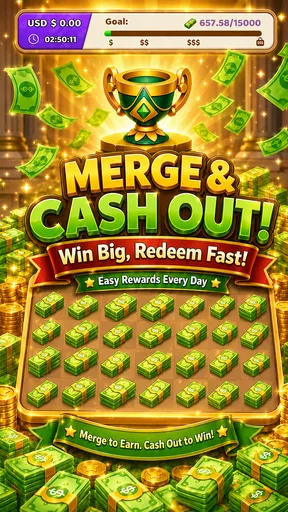
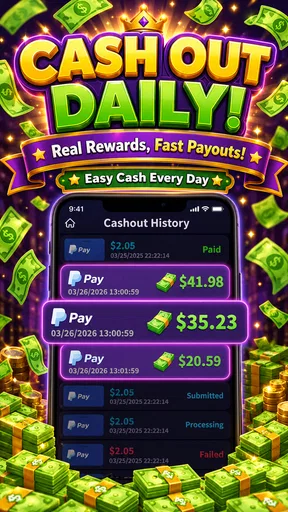
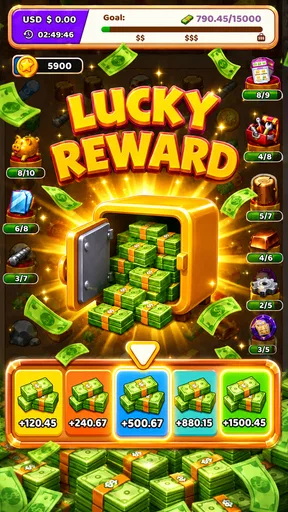
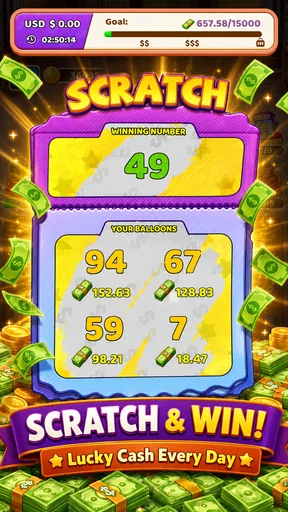
 Analysis by AppCompare
I approached Bucks Magnet - Win Real Money as a simulation game with an unusually practical promise: it presents itself as a way to build up rewards and request a cash-out on a repeating schedule. That immediately makes the experience different from a normal idle game, where the points are mainly there to unlock cosmetic items or extend a fictional business. Here, the value of the progress depends on how clearly the game explains its reward path and how comfortable you are treating it as a casual activity rather than a dependable income source.
My first impression is that this is best considered a small, low-commitment experiment. It is free to download, aimed at a Teen audience, and developed by CazualLab. The game has attracted over 100 thousand installs and holds a 4.8 average from around 2 thousand ratings, with 233 written reviews. Those figures suggest that many players enjoy the basic idea, but they do not remove the need to read each screen carefully and keep expectations realistic.
How the experience feels to read and navigate
The most important accessibility question for this particular game is not whether the concept sounds simple; it is whether the reward journey remains understandable when you are moving between play, balance information, and cash-out actions. A game built around money-related language needs especially clear labels. I would take my time with every button that refers to earnings, eligibility, timing, or withdrawal instead of tapping through screens automatically.
That habit matters because the store summary emphasizes getting real money quickly and being able to cash out every three hours. I read that as the central promise of the experience, not as a guarantee that every player will reach a particular amount or receive a particular result. The practical lesson is to distinguish between an in-game balance and money that has actually been requested or received. Keeping those ideas separate prevents the most common misunderstanding with reward-focused games.
For readers who find dense interfaces tiring, a short session is likely more manageable than trying to understand everything in one sitting. I would open the game when I have enough attention to inspect the current balance, identify the action that advances progress, and review the cash-out area before leaving. If text is small or screens feel crowded on your device, using the phone’s built-in display enlargement or larger-text settings may help, although those adjustments belong to the operating system rather than the game itself.
The current release is version 1.0.2, so I would also avoid assuming that every screen will behave exactly like an older video or review. A small change in wording can affect how easy it is to understand a reward condition. After an update, I would quickly revisit the balance and withdrawal screens rather than relying on memory. That is a useful routine for any app involving rewards, but it is particularly sensible here because the cash-out promise is the reason many people will install it.
Reading reward information without rushing
I found that the best way to approach a game like this is to treat each reward screen as a small decision point. First identify what the game says you have earned. Then look for the next required action. Finally, check whether the cash-out control is available or whether another condition is shown. This three-step pause is more useful than repeatedly tapping in the hope that progress will somehow become clearer.
Worth Reading Before You Choose

Flipboard Shows What News Apps Must Do Beyond the Feed

Switching to Android Auto Means Rethinking Your Driving Routine

Google Calendar Makes a Crowded Week Easier to Manage

Ludo King Makes the Most of the Minutes Between Plans

Baby Panda World Brings Quick Play to Modern Phones, but Its Game Library Feels Busy

ESPN’s Live Game View Makes Following Close Games Easier
That workflow also helps people who process information more comfortably when it is broken into stages. Instead of trying to remember a long explanation, you can make a simple note of the current balance and the next visible goal. I would not rely on screenshots alone if the screen contains changing information, but a personal record can make it easier to notice whether progress is moving as expected.
The game’s short name, Bucks Magnet, is easy to recognize, but the name should not be confused with a promise of effortless earnings. In my view, the strongest reading of the title is that it describes the theme and motivation of the game. The actual usefulness depends on whether the time spent playing feels worthwhile to you after considering the effort, the waiting, and the steps involved in requesting a payout.
Motor and sensory comfort during play
A reward game can be difficult for reasons that have nothing to do with its rules. Repeated tapping may be uncomfortable for someone with limited hand movement, tremors, joint pain, or fatigue. If the main loop asks for frequent interaction, I would use shorter sessions and rest before discomfort builds. There is no advantage in turning a casual game into a physical strain.
Players who have trouble with precise touch should try to keep the phone stable and use a familiar grip. A stand or a table can reduce the need to hold the device while tapping. I would also avoid playing while walking, on public transport with lots of movement, or in any situation where a mistap could send me to a different screen. This is not just about convenience: reward-related buttons deserve deliberate input.
Visual sensitivity is another consideration. I would lower brightness in a dark room, raise it outdoors, and use the device’s system-level contrast or color settings if needed. Those changes can make text easier to distinguish, but they cannot fix unclear wording or a crowded layout. If a player relies on a screen reader, magnification, switch access, or other assistive tools, the sensible approach is to test the core path immediately: opening the game, locating the current balance, and finding the cash-out area. If those steps are uncomfortable or confusing, the game may not be a good fit even if the basic concept is appealing.
Sound can also affect how usable a game feels in shared or quiet spaces. I would begin with the phone muted or at a low volume and then increase it only if audio is genuinely useful. This makes the game easier to use in a library, office, classroom, or bedroom without drawing attention. It also means that anyone who does not rely on sound can judge the experience by its visible controls rather than by waiting for an audio cue.
Using it in ordinary situations
A realistic use case would be a short break at home after finishing a routine task. I might open the game, check the balance, play for a few minutes, and then review whether the next cash-out step is available. That is a reasonable role for it: a casual activity that fits around an existing schedule. I would not plan a household budget around the result, and I would not treat the three-hour cash-out wording as a reason to keep checking the phone all day.
For someone with limited concentration, the repeating cash-out timing could create pressure to monitor the app more often than is comfortable. My advice is to set a personal boundary, such as checking only during planned breaks, rather than allowing the game to dictate the rhythm of the day. The experience is more sustainable when it stays subordinate to work, study, sleep, and personal responsibilities.
It may also suit a player who wants a simple simulation-style distraction but is curious about reward mechanics. The category matters here: this is not a finance tool, a job platform, or a replacement for a conventional savings method. Comparing it with those alternatives clarifies its place. A budgeting app helps organize money you already have. A survey or task service may pay for specific completed activities. A traditional idle simulator usually offers fictional currency. Bucks Magnet sits closer to the reward-game side of that spectrum, so its entertainment value should remain part of the calculation.
That comparison leads to an important question: who should skip it? I would suggest avoiding it if you need predictable income, dislike repeated checking, feel uncomfortable with cash-out conditions, or become frustrated when a game does not explain its reward path immediately. I would also skip it if any tapping or visual interaction causes pain. A different kind of app will be better for those needs, even if this game’s headline sounds attractive.
Situational access and personal routines
The game’s free price lowers the barrier to trying it, but free does not mean costless in practice. Your time, attention, battery use, and patience still have value. I would give it a limited trial period and decide whether the interaction feels clear and worthwhile before making it part of a daily routine. That approach is especially useful for people who are sensitive to notification pressure or who tend to continue reward loops longer than intended.
Teen players should involve a parent or trusted adult if they are unsure how a cash-out process works. The age rating is Teen, and money-related claims deserve the same caution as any other online reward activity. I would never share private account details casually, and I would pause if a screen asked for information I did not expect. The right response to uncertainty is to read, verify, and ask for help rather than rushing because a timer or reward message feels urgent.
People using older devices may also have a different experience from those with newer phones. The minimum operating system is Android 8.0, which makes the game available to a broad range of Android users, but compatibility alone does not guarantee comfort. Screen size, touch responsiveness, display scaling, and available storage can all affect how easy it is to use. On a smaller screen, I would be particularly careful around buttons related to balance and cash-out.
If you share a phone or play in a public setting, privacy becomes part of accessibility. A visible balance or reward message can attract unwanted attention. I would avoid opening the game where other people can easily read the screen, and I would lock the device when finished. These are simple precautions, but they make the experience more comfortable for users who prefer to keep financial or reward-related activity private.
Where the experience may still create barriers
The biggest barrier is expectation management. The phrase “real money” can make a casual game sound like a reliable earning method, while the actual experience may involve effort, waiting, or conditions that are easy to overlook. I would judge the game by the clarity of its current screens rather than by the most exciting interpretation of its store wording. If the route from playing to requesting a payout is not obvious, that is a meaningful usability problem.
A second barrier is the possible mismatch between accessibility needs and the game’s interaction style. Without assuming that specialized controls are present, I would say this plainly: anyone who needs keyboard navigation, extensive voice control, strong visual customization, or minimal repetitive tapping should test the essential actions before investing time. If those tools do not cooperate with the interface, there may be no practical workaround within the game itself.
A third issue is emotional rather than technical. Repeated reward prompts can be distracting, particularly for people who are trying to reduce impulsive phone use. I would turn off unnecessary system notifications if they become disruptive, set a time limit, and avoid opening the game during moments when I am already stressed or distracted. The goal is to keep the activity optional. Once the promise of a quick reward starts controlling your attention, the trade-off has changed.
There is also a trust barrier. A high rating is encouraging, but it cannot answer every personal question about usability or payout expectations. I would read recent player comments with a critical eye, looking for descriptions of the actual process rather than relying only on star averages. The game has a 4.8 average, but my decision would still depend on whether the interface makes sense on my device and whether the reward loop feels fair for the time involved.
My inclusive verdict
I see Bucks Magnet as a narrowly appealing simulation game for people who enjoy short reward loops and want to explore a cash-out-oriented format without paying to install it. Its strongest point is the clear reason to open it: progress is connected to a practical reward idea rather than only to fictional upgrades. CazualLab has also positioned it in a way that is easy to understand at a glance, which helps people decide whether the concept interests them.
My recommendation comes with boundaries. Treat the game as entertainment first, keep personal information protected, and inspect the balance and cash-out steps carefully. Do not confuse an in-game figure with money already in your possession. I would use planned sessions, keep the phone comfortable for my hands and eyes, and stop if the interface becomes tiring or the reward language feels pressuring.
For users who value predictable accessibility features, deep simulation systems, or a dependable financial outcome, a different app will be the better choice. For someone who wants a free, casual experiment and can comfortably handle repeated touch interaction, it may be worth trying. The most inclusive way to use it is to make the game fit your routine, rather than rearranging your routine around the promise of a payout.
Overall, I would recommend it cautiously to curious players who understand that the headline is an invitation to investigate, not a substitute for income. The version 1.0.2 release gives Android users on supported devices a straightforward opportunity to see whether the loop suits them. Just approach every reward claim slowly, protect your attention, and decide based on the real comfort and clarity of your own experience.
Pros
- Simple tap-based gameplay that is easy to understand
- Short sessions work well for quick breaks
- Clear progress and reward tracking
- No advanced gaming skills are required
- Lightweight design should run on many devices
Cons
- Earnings may be small compared with the time invested
- Cash-out eligibility can depend on minimum thresholds
- Reward availability may vary by region or account
- Frequent ads can interrupt the gameplay experience
- Internet access may be needed for rewards and withdrawals
FAQs for Bucks Magnet - Win Real Money
What is Bucks Magnet - Win Real Money?
Bucks Magnet - Win Real Money is a rewards-style mobile game built around simple activities such as collecting virtual items, completing levels, and reaching in-game milestones. Its main appeal is the possibility of earning points or rewards while playing. However, users should understand that the entertainment features are the primary experience, and any advertised cash rewards may depend on eligibility, availability, verification, and the app’s current terms.
Can you really withdraw real money from Bucks Magnet?
The app may present opportunities to exchange accumulated points for cash or other rewards, but receiving a payout is not guaranteed for every player. Withdrawal requirements can include reaching a minimum balance, completing specific tasks, watching advertisements, confirming an account, or passing eligibility checks. Before spending significant time in the game, review the current payout rules, supported payment methods, processing times, and user reports about successful withdrawals.
Is Bucks Magnet - Win Real Money free to download and play?
Bucks Magnet is generally promoted as a free-to-download game, so you can usually install it without paying an upfront purchase price. Nevertheless, free reward games commonly rely on advertising, optional purchases, or other monetization methods. You may encounter frequent video ads, promotional offers, or requests for permissions. Check the store listing carefully and avoid entering payment information unless you fully understand what a purchase provides.
Is Bucks Magnet safe to use on Android or iPhone?
The safest way to install Bucks Magnet is through the official Google Play Store or Apple App Store, rather than downloading an unofficial APK or modified version. Before installing, check the developer name, privacy policy, recent reviews, requested permissions, and update history. Avoid sharing sensitive information that the game does not reasonably need, and remember that reward apps may collect usage, device, advertising, or account-related data.
What should I know before spending time on Bucks Magnet?
Bucks Magnet is best approached as a casual game with rewards as an extra possibility, not as a dependable source of income. Progress may require repeated gameplay, advertisements, or patience before a withdrawal option becomes available. Reward values, rules, and availability can change without notice. Read the terms, take screenshots of important balances or redemption requests, and stop using the app if its behavior seems misleading or intrusive.


